Make the film your next milestone needs: a founder film before launch, a product film at launch showing real people using the product, a customer story once a customer will speak on camera, and a recruiting film when you are hiring. Nowa Film, a Toronto video production company whose current focus is B2B and technology, publishes its rates: video production is usually $3,500 to $25,000 and commercials usually $4,000 to $50,000.
Which film should a tech company make first?
Startups are drawn to the brand film first, because it feels like the grown-up version. It is rarely the film that does the most work in the next six months. Start from the milestone in front of you: a launch date, a round, a hiring plan, a first enterprise customer. Then make the film that helps it.
| Company situation | The first film worth making | Where it runs |
|---|---|---|
| Pre-launch, product still changing | A founder film: the problem, the team and why now, with little interface on screen | Waitlist page, investor updates, recruiting calls |
| Launch date set, product stable | A product film: real people using it where they work, with clean interface capture | Homepage, launch post, product page, sales deck |
| Raising a round | A short team film: the founder and the first hires, speaking plainly about the problem | Investor meetings, data room, company page |
| First customers willing to go on record | A customer story told by one named customer | Sales follow-up, case study page, LinkedIn |
| Hiring several roles at once | A recruiting film: the team in its own words, in the real workplace | Careers page, job posts, LinkedIn |
| Hardware, robotics or clean tech | A demonstration film: the machine doing its job, with detail and scale | Trade show screens, sales meetings, website |
| Established company entering a new market | A brand film about what you stand for in that market | Homepage, events, paid campaigns |
An event can do the same job. Our investor tour event film for Blossom Social at a Toronto ballpark shows a host in a pinstriped Blossom jersey, a long line under Blue Jays banners, full stands and a panel on the field. For a company whose audience is its community, that day can be the first film.
How do you film software without a screen recording?
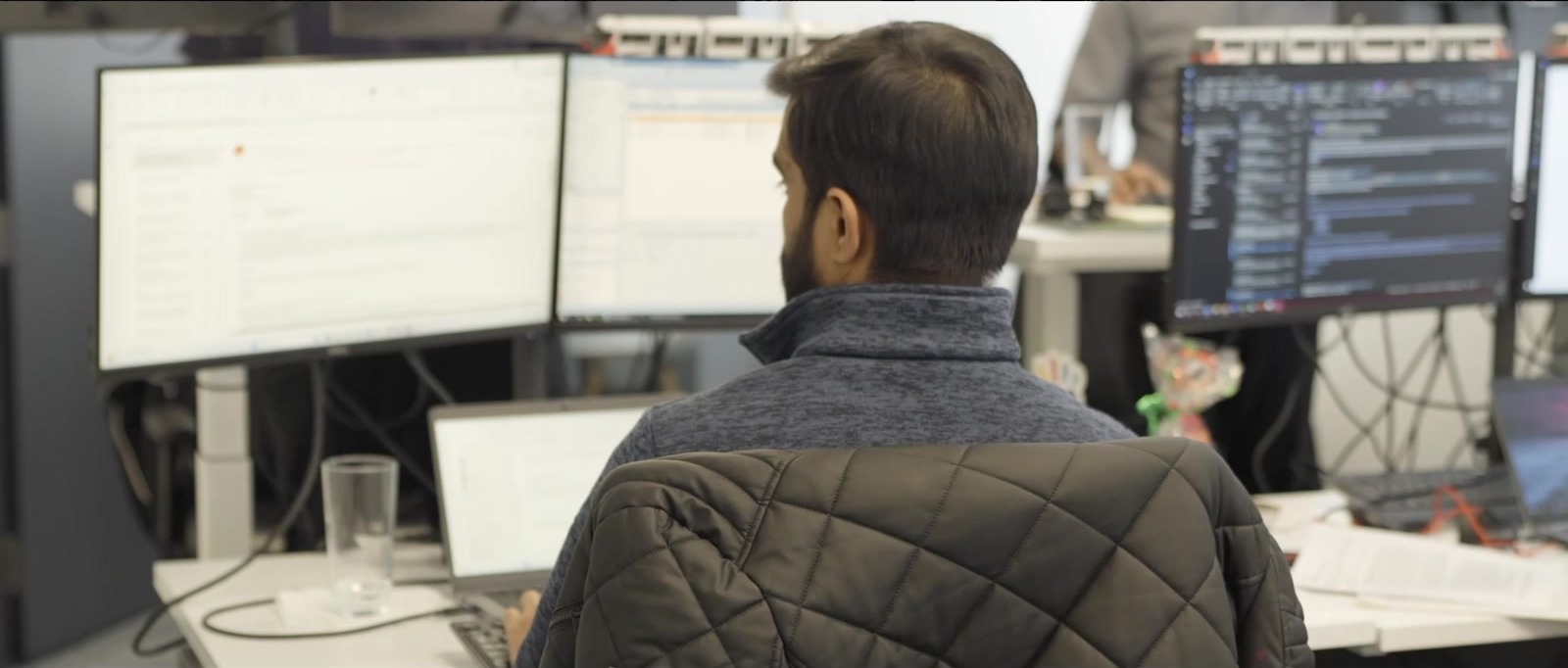
A screen recording with music under it is a tutorial. It shows the product but not why anyone needs it, and any competitor can make the same one. A film about software is about the person whose work changes: the dispatcher, the analyst, the site manager. Show that person, where they work and the moment the task gets easier. Show the screen when the screen is the point.
Real environments do much of the explaining. A scheduling tool reads differently at a busy front desk than in a quiet meeting room. Film in a customer’s workplace where they allow it; where they do not, choose a setting that matches the work rather than a generic office.
Interface capture is its own job, planned with the product team. Capture the screens cleanly at full resolution and decide in the edit how to show them; a filmed monitor works for atmosphere, rarely for reading. Agree these points before the shoot:
- Which screens appear, in what order, and the one action each screen needs to show.
- A demo account with realistic sample data: no real customer names, emails or figures.
- A frozen build for capture, so the interface on screen matches the one that ships.
- Notifications off, bookmarks hidden, a clean desktop and slow, deliberate cursor movement.
- Which features are still confidential, and who signs off the interface before release.
- Larger interface zoom for vertical versions, where small text will not survive the frame.
Interfaces change after launch. Keep the screen shots short and replaceable in the edit, so a new release means swapping a few seconds rather than remaking the film.
Filming hardware, robots, labs and machines
A physical product gives the camera something to look at. It also brings access rules, safety rules and demos that have to work more than once. Before filming a lab, a production line or a robot, we would settle four things with your team.
Access. Who escorts the crew, which rooms are off limits, and what cannot appear on camera: prototypes, whiteboards, customer parts, screens. If the site needs a crew list and a kit list for badges or a clean room, send them days ahead.
Safety. The crew should take the site induction, wear the protective equipment the site requires and stand where the operator says. Nobody steps inside a machine’s working area while it runs. Ask whether film lights could affect the machine’s own cameras or sensors. The person running the machine decides when it moves.
Repeatable demos. Plan the demo as a sequence that can be reset, and time a reset before the schedule is written. Keep an engineer at the controls and, where possible, a second unit on standby. Film only what the product does on every run: a demo it cannot repeat for a customer becomes a claim.
Detail and scale. A machine needs three distances: the close detail that shows the engineering, a person beside it for size, and the wide that shows where it works. In a loud room, record the interview somewhere quiet and capture the machine’s sound separately.
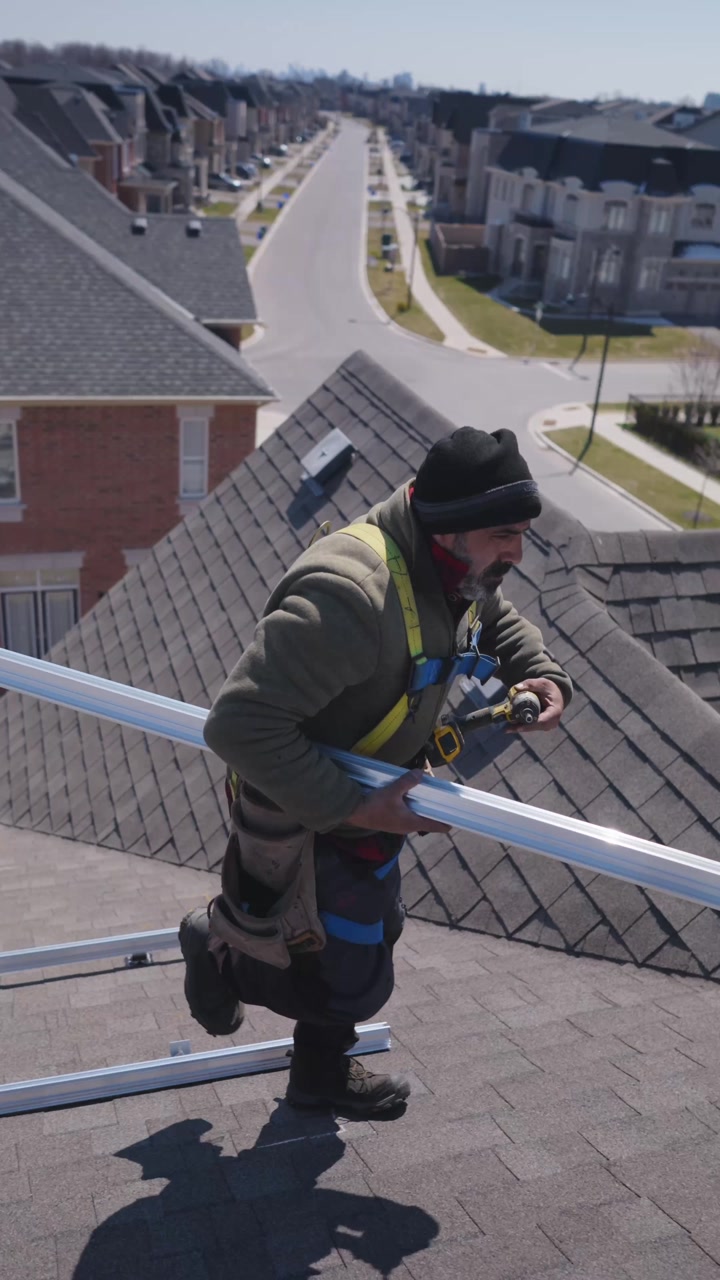
Our nearest example is outdoors. The four vertical films we made for Solify show real installation work: roofers in harnesses strip old shingles and fix rails and rows of black solar panels, seen up close and from straight overhead. Our guide to filming clean energy and solar covers that kind of shoot.
A founder story without the usual clichés
Investors, recruits and buyers have seen the founder film template: the slow walk through the office, hands on a keyboard, a whiteboard, a skyline at dusk and a line about changing the industry. Any company could run those shots. Swap each one for something only yours has.
- The slow corridor walk: the founder in the meeting where a customer pushed back.
- Hands on a keyboard: the person, the screen and the problem it solves, in one frame.
- The skyline at dusk: the room, site or lab where the work actually happens.
- “We are changing the industry”: the first problem you solved, for whom, and what it cost them before.
In the interview, ask about a day rather than a mission: the week the first version failed, the call that made the problem real. Founders fall into pitch language by habit, and a specific memory breaks it.
Customer proof and recruiting films
Once a customer will speak on camera, their account counts for more than anything you say about yourself. Early customers are often pilots, so check what they can say publicly and whether any figure in the story is one they can verify. Our guide to customer story videos covers their approvals and the interview.
A recruiting film answers what a job post cannot: who the candidate will work with and what the work looks like. Let engineers describe the problem they are solving, film the tools they actually use, and skip the perks montage.
The people-led film we made for Scheidt & Bachmann Canada shows the format. Team members speak to camera on a city street, in an open-plan office, in a hallway and in front of a large rainbow SB logo. Lower-thirds give each person’s name, role and city, from Toronto to Ottawa, so a viewer meets the company one person at a time.
One shoot, many versions, timed to the launch
A launch needs more than one file: the homepage film, a silent loop for the page header, a cut for the sales deck, a vertical teaser and an event screen version. Plan them before the shoot so each has the opening and framing it needs; our cutdown planning guide shows how to give every version a job.
Then set the dates backwards from the launch. Tech launch dates move, and the plan should survive that. Film the people and places early, and capture the interface last, as close to the freeze as the product team allows.
- Launch: the film is live on the page, tested on a phone, with captions.
- Delivery: final files arrive with time to upload, test and brief the sales team.
- Final approval: product, legal and the founder sign off the same cut.
- First cut: reviewed against the product as it will ship, not as it was demoed.
- Interface freeze: the screens that appear in the film stop changing.
- Shoot: the people, the places and the rehearsed demo.
- Plan approved: story, locations, versions and the names of the approvers.
Put a date against each line. If the launch slips, move the freeze and the interface capture with it, not the whole shoot.
What does video production cost for a startup?
Our published rates are in Canadian dollars. Video production, which covers brand films, testimonials, product launches and corporate video, is usually $3,500 to $25,000. Commercials, the spots for TV, pre-roll and paid with the cutdowns around them, are usually $4,000 to $50,000. Event films start at $2,400, and social content starts at $1,800 per month. Every project is quoted to its scope.
For a tech company, the scope moves with locations, people on camera, interface capture and motion graphics, site access that limits shooting hours, travel and the number of versions. We hold a strong belief in quality over quantity: on a tight budget, make one film properly rather than three thin ones. Our guide to video production costs in Toronto goes through the drivers in more detail.
Quick answers
What video should a startup make first?
Make the film your next milestone needs. Before launch, a short founder film explains the problem and the team. At launch, a product film shows real people using the product, with interface capture planned with the product team. Once a customer will speak on camera, make a customer story. When hiring several roles, film the team in its real workplace.
How do you film software for a product video?
Film the person whose work changes, in the place they work, and show the screen when it is the point. Capture the interface separately at full resolution, from a demo account with sample data, on a frozen build, with notifications off. Keep the screen shots short and replaceable, so a new release means swapping a few seconds rather than remaking the film.
How much does a startup video cost in Toronto?
Nowa Film publishes its rates in Canadian dollars. Video production, including brand films, testimonials, product launches and corporate video, is usually $3,500 to $25,000. Commercials with their cutdowns are usually $4,000 to $50,000. The scope moves with locations, people on camera, interface capture, site access and the number of versions, and every project is quoted to its scope.
 Google Meet